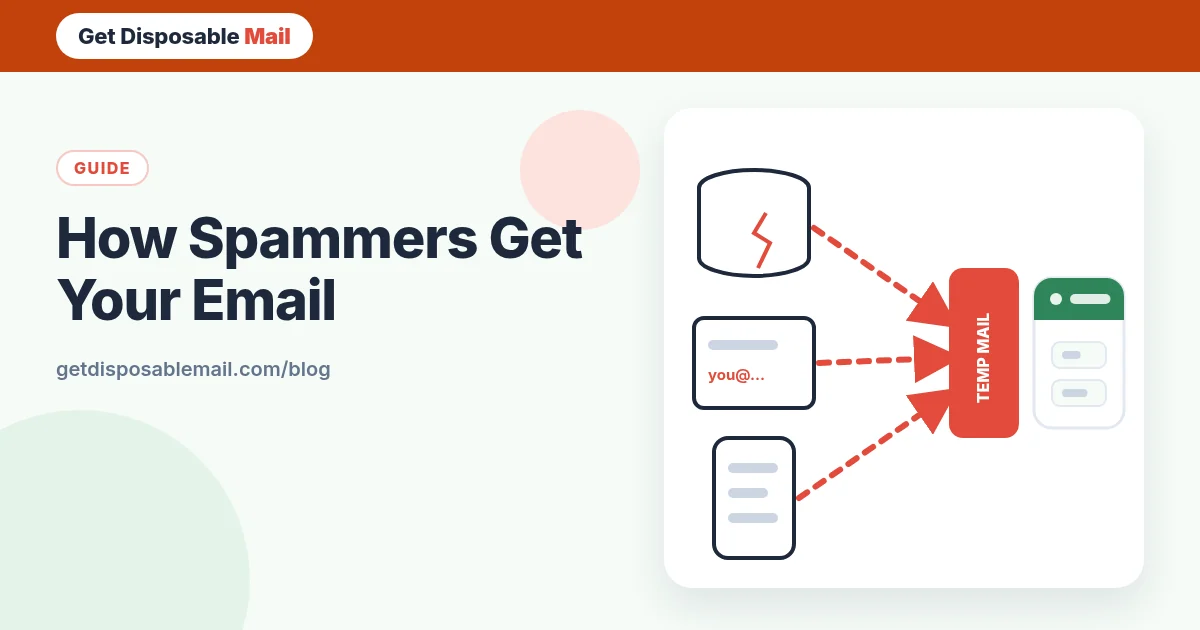
If you’ve ever wondered why a brand-new inbox started receiving “You’ve won!” messages within weeks, you’re not imagining it. Email addresses are collected, traded and tested at enormous scale, and once yours is on a list, it tends to stay there.
Knowing *how* addresses leak is the first step to protecting them. Here are the eight routes we see most often, how to work out which one applies to you, and what actually helps.
1. Data breaches
When a website is hacked, its user table — names, email addresses and often hashed passwords — frequently ends up shared or sold. Your address doesn’t have to be on a big-name service for this to happen; a small forum or shop you used once is enough. Breach data is reused for years.
You can check whether your address appears in known breaches on Have I Been Pwned. If it does, change that password and any place you reused it, and enable two-factor authentication.
2. Scraping public web pages
Automated crawlers read web pages looking for anything shaped like an email address: contact pages, forum posts, comment sections, PDFs, code repositories, CVs posted online. This is known as email address harvesting. If your address has been written in plain text on a public page, assume it has been collected.
3. Guessing
Spammers don’t always need to find your address — they can generate it. Common first names, surnames, initials and number combinations at large email providers are tried in bulk, and the addresses that don’t bounce are kept. Short, simple addresses are hit hardest.
4. Lists that are bought, sold or “shared with partners”
Some sign-up forms come with a pre-ticked box or small print allowing your details to be shared with “selected partners”. Sweepstakes, coupon sites and free-gift offers are classic sources. Once an address is sold, it can be resold many times.
5. Someone else’s compromised device
If a friend’s or colleague’s computer or email account is infected, the attacker gets their address book — including you. That’s why spam sometimes appears to come from people you know, or quotes a real conversation.
6. Confirming that you’re real
Opening a spam email can quietly confirm your address is active, through an invisible tracking pixel. So can replying or clicking an “unsubscribe” link in an obviously shady message. A confirmed address is worth more and gets more spam.
7. Public records and registrations
Domain registrations, business listings, event attendee lists, academic papers and some public registries can expose an address. Many domain registrars now offer privacy protection; use it if you own a domain.
8. Apps and browser extensions
Apps and extensions that request access to your contacts or your mailbox can collect addresses. Review app permissions occasionally and remove anything you no longer use.
How to tell which one got you
- Use a different address per service. With aliases or plus addressing, the “To” address tells you exactly who leaked or sold it. Our disposable vs alias comparison explains how.
- Check breach history on Have I Been Pwned and compare dates with when spam started.
- Search the web for your address in quotes to see where it’s published.
- Look at the spam itself. Messages that mention a specific service or include an old password point to a breach.
How to stop it - or at least cut it right down
You can’t un-leak an address, but you can stop feeding new lists and make the existing spam far less visible.
Protect your main address from now on
- Use temp mail for anything one-off: downloads, Wi-Fi portals, contest entries, sites you’re just trying out. The address expires after 24 hours, so a future breach or list sale has nothing to hit.
- Use a forwarding alias for accounts you keep but don’t fully trust, and turn it off if it starts receiving junk.
- Untick “share with partners” and marketing boxes at every sign-up.
- Don’t publish your address in plain text. Use a contact form, or write it in a way that’s harder for crawlers to parse.
Handle the spam you already get
- Mark spam as spam rather than deleting it — it trains your provider’s filter.
- Turn off automatic remote images so opening a message doesn’t confirm you’re real.
- Unsubscribe only from legitimate senders you recognise, using their official link.
- Never reply to spam, buy from it or call numbers in it.
- Treat “your account will be closed” and “payment failed” messages as phishing until you’ve checked by visiting the real site yourself. Our phishing guide covers the warning signs.
When to consider a new address
If your address appears in many breaches and the spam keeps getting through, a fresh primary address may be worth it — but only if you protect it properly from day one. Move your important accounts first, set up forwarding from the old address for a while, and from then on, give the new one only to services that genuinely need it. Our email privacy checklist helps you decide which those are.
A note on “disposable email made it worse”
Using a temporary address for a sign-up doesn’t add spam to your real inbox — that’s the point. What it can do is lock you out later if you used it for an account you needed. Keep disposable inboxes for things you’ll never come back to, and you get the spam protection without that downside.
What spam filters can and can’t do
Modern filters at large providers catch the vast majority of bulk spam using sender reputation, authentication results (SPF, DKIM and DMARC — explained in our plain-English guide), content signals and what millions of other users mark as spam. That’s why reporting matters.
What filters struggle with is mail that looks legitimate: messages from real companies you once signed up with, low-volume targeted scams, and messages sent from hacked but genuine accounts. Filters can only move these to a folder. Keeping your main address off new lists in the first place is the only fix that removes them at the source.
Signs your address was sold or leaked
- Sudden spam in a language or about a topic you’ve never engaged with.
- Messages addressed to a plus tag or alias you only gave to one company.
- Emails quoting an old password — a strong sign of breach data. Change that password everywhere it was used.
- A spike in “verify your account” emails from services you never joined, which can mean someone is trying your address on many sites.
Frequently asked questions
How did spammers get my email address if I never gave it out?
Common routes include a data breach at a service you once used, a friend’s contact list being stolen by malware, your address being published somewhere public, or simple guessing — common names at big email domains are tried automatically.
Does unsubscribing from spam make it worse?
For obvious spam, it can: clicking a link confirms your address is active. For legitimate companies you recognise, the official unsubscribe link is the right tool. When in doubt, mark the message as spam instead.
Can I stop spam permanently?
Not completely once an address is widely known, but you can cut it dramatically with spam filtering, blocked remote images, separate addresses for different purposes, and — for new sign-ups — not giving out your main address at all.
Should I change my email address because of spam?
Only if the volume is unmanageable or the address is in many breaches. Moving is a lot of work. A better first step is to protect the address from now on: use temp mail for one-off sign-ups, aliases for accounts you keep, and good filters.
How do I check if my email was in a data breach?
Search it on Have I Been Pwned, a long-running free service that indexes known breaches. If it appears, change the password on that service and anywhere you reused it, and turn on two-factor authentication.