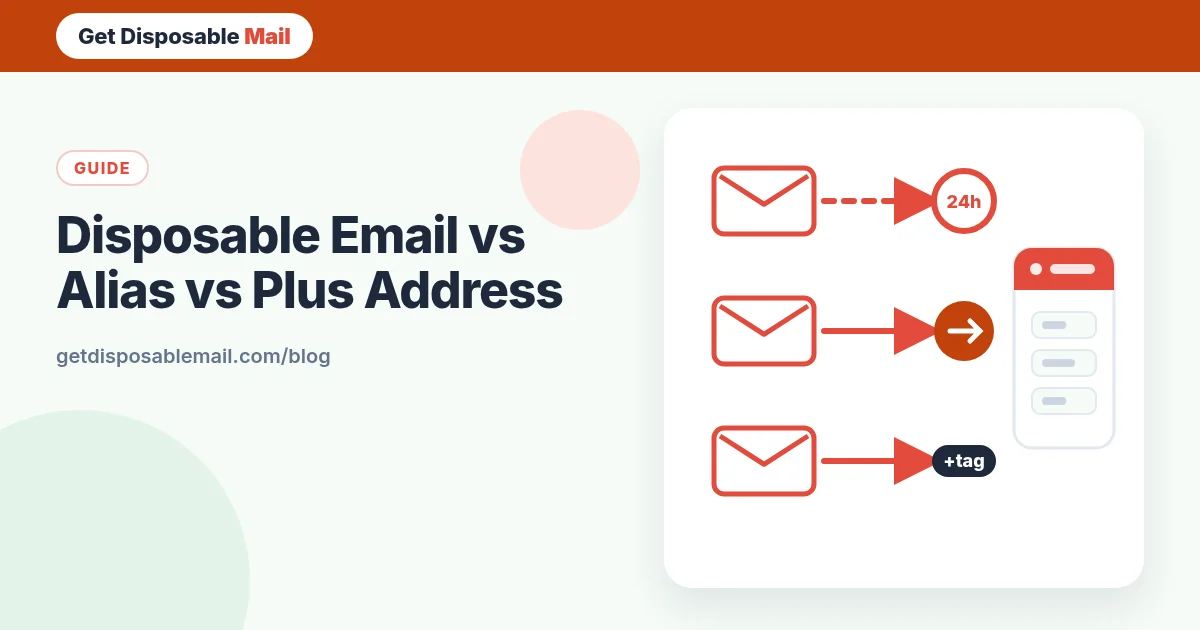
There are three popular ways to avoid handing every website your real email address: a disposable inbox, a forwarding alias, and plus addressing (also called sub-addressing). They are often recommended interchangeably, but they solve different problems. Pick the wrong one and you either lose an account you wanted or leak the address you were trying to protect.
Here’s how each works, what it actually hides, and a simple rule for choosing.
Disposable email: a separate inbox that disappears
A disposable or temporary address, like the one you get on GetDisposableMail, is a brand-new inbox on someone else’s domain. Nothing connects it to you: not your name, not your main address. Mail arrives, you read it, and after a set time (24 hours with us) the address and everything in it are deleted.
- Hides your real address: completely.
- Setup: none — it’s ready the moment the page loads.
- Lifespan: short by design.
- Recovery: none after expiry, so it’s unsuitable for accounts you keep.
- Acceptance: some sites block known disposable domains.
Email alias: a permanent forwarding address
An alias is an address that forwards to your real inbox. You create a different one for each site — for example a random string at an alias provider’s domain — and you can disable it any time. Mail keeps arriving in your normal inbox, so password resets work for as long as the alias is on.
Common options include Firefox Relay, SimpleLogin, DuckDuckGo Email Protection and Apple’s Hide My Email, which generates unique, random addresses that forward to your personal inbox — it’s built into Sign in with Apple and, for other sites, part of iCloud+. Many email providers and custom domains also offer aliases.
- Hides your real address: yes, as long as you don’t reply from your real one.
- Setup: an account with the alias provider, then one click per site.
- Lifespan: as long as you want.
- Recovery: works — resets reach your inbox.
- Trade-off: you trust the alias provider with your mail flow, and some alias domains get blocked too.
Plus addressing: a tag on your real address
Plus addressing adds a tag after a plus sign: you+shop@example.com still lands in you@example.com. The convention is described in RFC 5233, and Gmail, Outlook, Fastmail, Proton and many others support it. Google’s own Gmail tips explain how to create task-specific addresses this way.
It’s brilliant for sorting — filter everything sent to +shop into a folder — and for detective work: if you+shoeshop starts getting crypto spam, you know who leaked or sold it. But it hides nothing. Your real address is right there before the plus, and list brokers can strip the tag automatically. Some forms also reject the + sign.
- Hides your real address: no.
- Setup: none, if your provider supports it.
- Lifespan: permanent; you can’t really “turn off” a tag, only filter it.
- Recovery: works.
- Best for: organising mail and tracing leaks, not privacy.
Side-by-side comparison
- Privacy from the website: disposable = high · alias = high · plus address = low.
- Can you get password resets later? disposable = no · alias = yes · plus address = yes.
- Effort per sign-up: disposable = none · alias = low · plus address = none.
- Can you cut off a spammer? disposable = it expires anyway · alias = yes, disable it · plus address = only by filtering.
- Shows you who leaked your address? disposable = not needed · alias = yes · plus address = yes.
- Commonly blocked? disposable = often · alias = sometimes · plus address = occasionally by strict forms.
A simple rule for choosing
Ask one question: will I need to receive email from this site after today?
- No — a download, a one-time code, a Wi-Fi portal, a newsletter preview → use temp mail. Our OTP guide shows how to get codes reliably.
- Yes, but I don’t fully trust them — shops, apps, forums, free tiers you may upgrade → use an alias.
- Yes, and it matters — banking, government, health, work, your phone carrier, your password manager → use your real, secured address with two-factor authentication.
- I just want my inbox tidier → plus addressing plus filters.
Common mistakes
- Using temp mail for an online purchase, then needing the receipt for a return or warranty claim.
- Assuming a plus address is private and using it on a site you don’t trust.
- Replying to a message that came via an alias from your real address — that reveals it.
- Creating aliases or disposable addresses to get around a ban or a one-per-customer offer. That breaks most sites’ terms, and it’s not something we support.
Using all three together
The most private setup isn’t one tool, it’s a tier system. Our email privacy checklist lays it out in more detail, but the short version is: disposable inboxes for the throwaway stuff, aliases for accounts you keep, and your real address for the handful of accounts that genuinely need it. Plus addressing is a free bonus for sorting what reaches your real inbox.
If you’re choosing between a temporary address and a “fake” one, the fake email generator page explains why an address that can’t receive mail is rarely what you actually want.
What about a second free mailbox?
Some people keep a separate free webmail account purely for sign-ups. It works, and recovery is possible, but it has drawbacks: you have to remember to check it, its password and recovery settings need looking after like any other account, and it collects every sign-up in one place — so if it leaks, it leaks everything. It also can’t tell you which site sold your address. An alias service gives you the same separation with one address per site and a switch to turn each off.
Setting up aliases in about five minutes
- Pick an alias provider you trust, or check whether your current email provider or password manager already offers aliases.
- Create the account and confirm where aliases should forward — your real inbox.
- Install the browser extension or app if one is offered, so you can generate a new alias right in a sign-up form.
- Next time a site asks for your email, create an alias named after the site, so you’ll know who used it.
- If one alias starts getting spam, change the address on that site to a new alias, then disable the old one.
Frequently asked questions
What is the difference between a disposable email and an email alias?
A disposable email is a separate, short-lived inbox that deletes itself. An alias is a permanent forwarding address that delivers into your real inbox until you switch it off. Use disposable for one-off messages; use an alias for accounts you want to keep but don’t fully trust.
Does plus addressing (name+shop@gmail.com) hide my real email?
No. Anyone can see your real address by deleting the part after the plus sign, and some spammers strip it automatically. Plus addressing is great for filtering and for spotting who leaked your address, but it isn’t a privacy shield.
Why do some sites reject email addresses with a plus sign?
The plus sign is valid in email addresses, but some sign-up forms use overly strict validation, and some services deliberately strip or block sub-addresses to stop people creating many accounts. If a form rejects it, an alias service is the next option.
Are email alias services free?
Several have free tiers with a limited number of aliases, such as Firefox Relay and SimpleLogin; Apple’s Hide My Email is built into Sign in with Apple, while creating addresses for any site needs iCloud+. Check each provider’s current pricing, since plans change.
Can I use temp mail and aliases together?
Yes, and that’s what we recommend: temp mail for things you’ll never revisit, aliases for accounts you keep, and your real address only for money, identity and work.