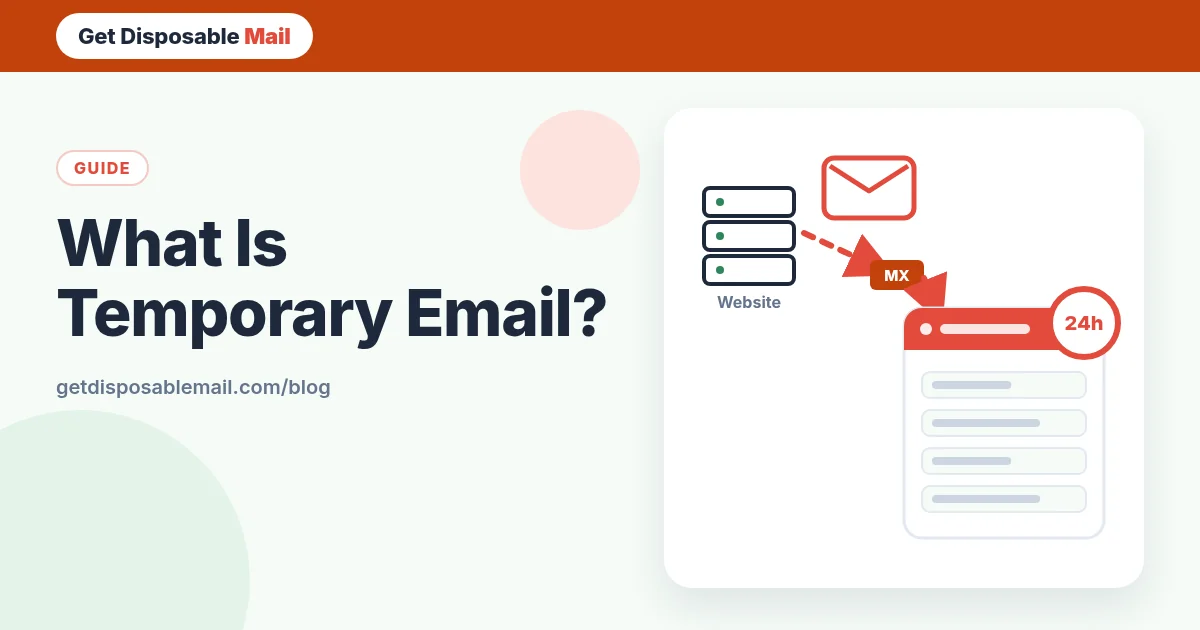
A temporary email address is an inbox you can use right away, without signing up, that deletes itself after a short time. You paste it into a form, read the confirmation or code that arrives, and walk away. Nothing points back to your real inbox, so the newsletter that follows, the data breach three years later and the “we miss you” emails all land somewhere that no longer exists.
That’s the one-line answer. This guide goes a level deeper: what actually happens between a website pressing “send” and the message appearing on your screen, what the different names for the idea mean, and — just as important — where a temporary address is the wrong tool.
Temporary email in one paragraph
A temporary (or disposable) email service owns one or more domains and accepts mail for any address on them. When you open the site, it picks an unused name — or lets you choose one — and shows you a live inbox for it. Mail sent to that address is stored for a fixed time and then deleted along with the address. On GetDisposableMail that time is 24 hours, the inbox is receive-only, and you never create an account.
How a disposable inbox works behind the scenes
Email is old, open infrastructure. Any server can deliver to any domain by following the same public rules, which is what makes temporary inboxes possible at all. Here is the path a verification email takes to reach you.
1. The website hands the message to its mail provider
When you press “Send code”, the site’s backend creates the message and passes it to an outbound mail service. That service is responsible for delivery and for retrying if something goes wrong.
2. DNS says where mail for the domain should go
The sending server looks up the MX records of the domain after the @ sign. MX records are public DNS entries that name the servers accepting mail for that domain. For our addresses, they point at the mail receiver we run for getdisposablemail.com.
3. The message is delivered over SMTP
The two servers talk using SMTP, the protocol defined in RFC 5321. If our side is briefly unavailable, the standard expects the sender to queue the message and try again later rather than give up — one reason codes sometimes arrive a few minutes late.
4. A catch-all receiver accepts it
A normal company mail server rejects addresses that don’t belong to an employee. A temporary email receiver works the other way round: it accepts mail for names that are currently assigned to an active inbox. It doesn’t need a mailbox to be “registered” in advance, which is why your address works the instant it appears.
5. It is stored with an expiry date
The message — sender, subject, body and allowed attachments — is saved with a time-to-live. When the clock runs out, storage deletes it automatically. Nobody has to remember to clean up, and there is no long-term archive. Our privacy policy lists exactly what is stored and for how long.
6. Your browser is told in real time
Older temp mail sites made you press Refresh. Modern ones keep a live connection open, so the message appears within a second of arriving. GetDisposableMail also scans each message for a likely one-time code or verification link and shows it at the top, and it opens HTML in a sandbox with remote images blocked, so simply viewing a message doesn’t tell the sender much.
Temp mail, disposable, burner, throwaway: what the names mean
You’ll see a cloud of overlapping terms. In practice they describe the same idea with different emphasis:
- Temporary email / temp mail — the address expires on its own. The most common term in search.
- Disposable email — you can throw it away whenever you want. The term used in security and anti-fraud circles (“disposable email address”, or DEA).
- Burner email — borrowed from “burner phone”: an address used once and abandoned. See our burner email page.
- Throwaway email — same meaning, more casual.
- 10 minute mail — an inbox with a very short life. Ours lasts much longer; the 10 minute mail page explains why that matters.
- Fake email generator / temporary email generator — tools that create the address for you. The address is real; only the link to your identity is missing. Compare them on the fake email generator and temporary email generator pages.
What temporary email is good for
- Reading one confirmation email or download link without joining a mailing list.
- Getting a one-time code for a service you’re only trying out. Our OTP field guide covers this in depth.
- Wi-Fi portals, contest entries, gated PDFs and forum sign-ups you won’t revisit.
- Testing your own app’s sign-up, password reset and welcome emails during development.
- Keeping your main address out of yet another database that could be breached later.
What it is not good for
A temporary address disappears, and that is the point. So anything you may need to get back into later should not depend on it. If a service ever asks you to reset your password, confirm a new device or prove you own the account, the email that does it must reach you — next week, next year.
- Banking, payments, crypto exchanges and anything holding money.
- Government, tax, health, school and employer accounts.
- Anything where you buy something and may need a receipt, warranty or refund.
- Accounts you plan to keep. For those, use your real address or a forwarding alias — our email privacy checklist helps you pick.
Why some websites refuse temporary addresses
Many platforms check sign-ups against public lists of disposable domains and reject or silently ignore them. They do it mostly to limit spam accounts, trial abuse and fraud. That’s their right, and getting around it is usually against their terms. If a site won’t accept a temporary address, the honest options are to use an alias or your real address, or to skip the service. We explain the reasons and the alternatives in why some sites block disposable email.
Is it private?
Privacy here has two sides. Towards the website, a temporary address reveals very little: no name, no link to your other accounts. Towards the temp mail service, you are trusting the operator with whatever lands in the inbox for its lifetime — so read their privacy policy and prefer services that store less and delete on a fixed schedule.
Also remember that an email address is not a password. Anyone who knows or guesses your temporary address can send mail to it. On GetDisposableMail only the browser holding your private session can read the inbox, but you still shouldn’t let anything sensitive arrive there.
How to get a temporary email in under a minute
- Open GetDisposableMail. An address is created for you automatically.
- Press Copy and paste it into the sign-up form.
- Keep the tab open. When the status shows “Live”, new mail appears on its own.
- Use the highlighted code or link straight away — they often expire within minutes.
- Walk away. The address and its messages delete themselves after 24 hours, or press Delete to remove them sooner.
Frequently asked questions
Is a temporary email address a real email address?
Yes. It is a normal, standards-compliant address on a real domain with real MX records, so any sender can deliver to it. The difference is the lifecycle: it is created instantly, it only receives mail, and it is deleted automatically — after 24 hours on GetDisposableMail.
Can I send or reply from a temp mail address?
Not on GetDisposableMail. The inbox is receive-only. That keeps the service from being used to send spam, and it is also why temp mail is meant for one-way messages like codes, links and confirmations rather than conversations.
How long does a temporary email last?
It depends on the service. Classic “10 minute mail” inboxes last minutes; others last an hour or several days. Our inboxes stay open for 24 hours, so a slow verification email still has somewhere to land, and you can delete the address sooner.
Is temp mail the same as a fake email?
People use the words interchangeably, but the address is not fake: mail really arrives. What is “fake” is the link to your identity — the address isn’t tied to your name or your main inbox. See our fake email generator page for the difference in more detail.
Do I need to sign up to get one?
No. Opening GetDisposableMail creates an address automatically. You don’t give a name, a password or your real email.