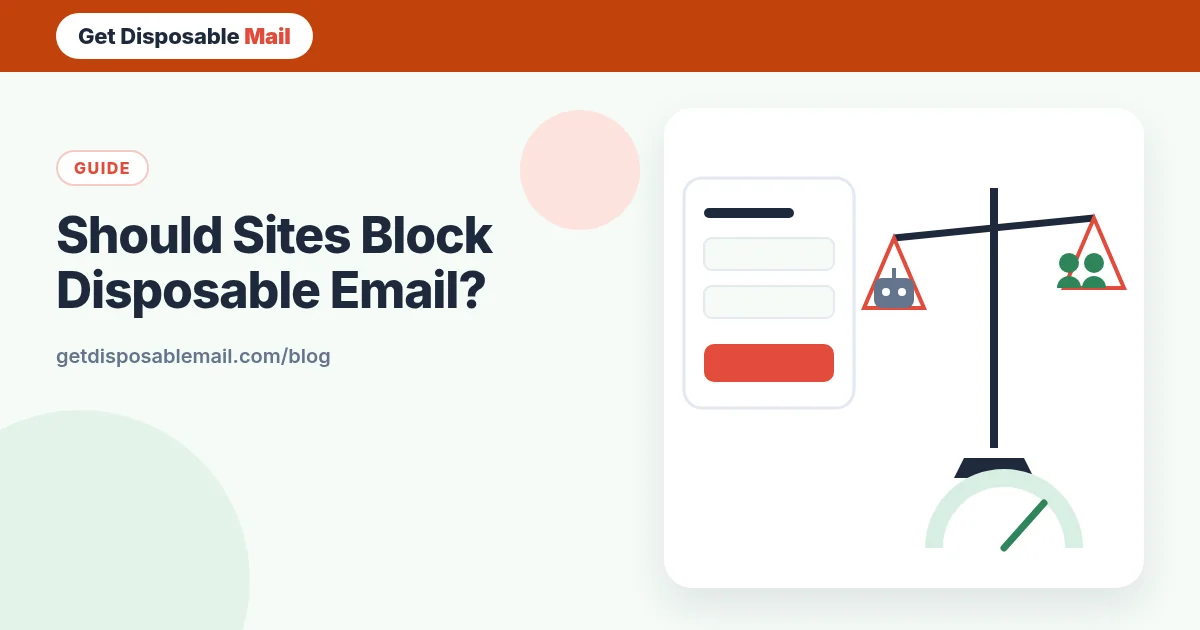
If you run a website or app, you’ve probably seen sign-ups from addresses on domains you’ve never heard of — and wondered whether to block them. It’s a reasonable question with a less obvious answer than it seems.
We operate a disposable email service, so you might expect us to say “never block”. We won’t. Sites have every right to set their own rules, and some genuinely need to. Here’s an honest look at when blocking helps, what it costs, and what tends to work better.
Why sites block disposable email
- Free-trial and promo abuse — the same person claiming “first month free” or sign-up credits repeatedly.
- Spam and fake accounts — bots creating accounts to post links, scrape or harass.
- Resource abuse — free compute, storage, AI credits or API quotas.
- Unreachable users — if the address expires, you can’t send receipts, security notices or password resets.
- Data quality — marketing lists full of addresses that bounce after a day.
What blocking costs you
Every block has a price, and it’s paid by real people:
- Privacy-conscious users leave. Many people use a temporary address precisely because they want to try your product before trusting you with their inbox. Blocking them sends them elsewhere.
- False positives. Blocklists are crowd-sourced and imperfect. Small email providers, new custom domains and university or regional providers occasionally land on them by mistake.
- Alias collateral damage. Some lists or detection services flag forwarding aliases, which reach a permanent inbox and are a legitimate privacy tool.
- Maintenance. Lists go stale. New disposable domains appear constantly, so a static list leaks, and a frequently updated one needs upkeep or a paid service.
- A false sense of security. Determined abusers switch to free webmail, aliases or hacked accounts. A domain check alone rarely stops them.
How detection works
Most sites use one or more of these:
- Domain blocklists — for example the open-source disposable-email-domains project, which accepts public pull requests to add or remove domains.
- DNS signals — checking whether a domain has MX records at all, or shares mail servers with known disposable providers.
- Commercial detection APIs — paid services that combine lists, DNS and reputation data. Quality varies, and you’re sharing sign-up data with a third party.
- Behaviour — many accounts from one IP, device or payment card, or sign-ups that never confirm.
A decision framework
Ask one question: what does a fake or throwaway account cost us?
- Almost nothing (a content site, a newsletter, a free tool with no scarce resources) → allow disposable email. You may even gain users who later convert with a real address.
- Something, but only at certain moments (posting publicly, messaging other users, starting a paid trial) → allow sign-up, then require a long-term address or extra verification at that moment.
- A lot (money movement, credits with cash value, regulated services, marketplaces) → blocking disposable domains is reasonable, alongside stronger identity checks.
Alternatives that often work better
- Rate limits per IP, device and account on sign-up and on expensive actions. The OWASP Authentication Cheat Sheet covers related controls.
- Progressive trust — limited features until an account has aged or confirmed a long-term address.
- Verification at the moment of risk — require it when someone starts a paid trial, invites others or withdraws money, not on the first page.
- Trial limits tied to payment methods rather than email addresses, which are trivially easy to create.
- Clear messaging. If you block, say so on the form. Silently not sending the confirmation wastes users’ time and generates support tickets.
If you do block, do it kindly
- Validate on the form and show a clear message: “Please use a permanent email address — temporary inboxes can’t receive password resets.”
- Don’t block well-known forwarding alias domains unless you have a specific reason.
- Keep your list updated and give users a way to report a false positive.
- Log blocked attempts so you can measure whether the block actually reduces abuse.
- Review the decision every few months. If abuse didn’t drop, the block may only be costing you users.
What this means for temp mail users
If a site blocks disposable addresses, the right response is to respect it: use an alias or your real address, or skip the service. Rotating through domains to get around a block usually breaks the site’s terms, and it’s not something we support. For the user’s side of the story, read why some sites block disposable email, and if mail simply isn’t arriving, try the not-receiving troubleshooter.
What this means for developers testing their own product
If you block disposable domains, your QA team will need an allow-listed test domain or a local mail catcher, because a temporary address will be refused. Our guide to testing sign-up emails covers both approaches. If you don’t block, a temporary inbox is a quick way to see your verification email exactly as a privacy-conscious user would.
The bottom line
Blocking disposable email is a tool, not a strategy. Used where fake accounts are genuinely costly, it’s fair and effective. Used everywhere by default, it mostly filters out cautious, legitimate people while determined abusers walk around it. Decide based on cost, check at the moment of risk, and tell users clearly what you expect.
Measure before and after
Before switching on a block, record a baseline for a few weeks: sign-ups, confirmed sign-ups, trial-to-paid conversion, abuse reports and support tickets about missing emails. After the change, compare. If abuse barely moved while sign-ups dropped, the block is costing more than it saves. If abuse fell sharply and conversions held, you have evidence to keep it. Either way you’ll make the decision with data rather than instinct.
It also helps to segment: are the problem accounts actually using disposable domains, or free webmail? Many teams find the worst abuse comes from elsewhere entirely.
Frequently asked questions
Should I block disposable email addresses at sign-up?
It depends on what a fake account costs you. If free accounts unlock money, credits, scarce resources or the ability to contact other users, some restriction makes sense. If accounts are cheap and you mainly want real people to try your product, blanket blocking often turns away privacy-conscious users for little gain.
How do websites detect disposable email?
Mostly by checking the domain against lists of known disposable providers, such as the open-source disposable-email-domains project, sometimes combined with DNS checks or a paid detection API. None of these are perfect: lists go stale and occasionally include legitimate domains.
Will blocking disposable email stop fake accounts?
It raises the cost slightly, but determined abusers can use aliases, cheap webmail or compromised accounts. Rate limits, verification at the moment of risk and behaviour-based checks usually stop more abuse than a domain list alone.
Should I block email aliases too?
Usually not. Alias services like Apple’s Hide My Email or Firefox Relay forward to a real, long-term inbox, so password resets and receipts still reach the user. Blocking them punishes customers who are simply protecting their privacy.
Is it fair for a temp mail service to tell sites how to block it?
We think so. Sites have every right to set their own rules, and honest information helps them make proportionate ones. We’d rather a site block us thoughtfully than see abuse it can’t control.